
The Google Home Developer Console provides a way to include setup and reset instructions to help users through Matter device setup on Android and in the Google Home app (GHA).
- From the list of projects, click Open next to the project you want to work with.
From the Developer Console, to get to the Setup mode & reset instructions page:
Click Save and continue on the first Setup page.
Click Save and continue on the Configure setup and branding page.
Once on the Setup mode & reset instructions page, you have access to the device setup configuration options.
Select the supported network type and frequency(s) for this device under Network & frequency.
Under Setup mode instructions, describe how your device indicates it's in setup mode. A preview will appear in the screen on the right. Optionally, click Upload to upload a Custom animation or image that conveys setup mode.
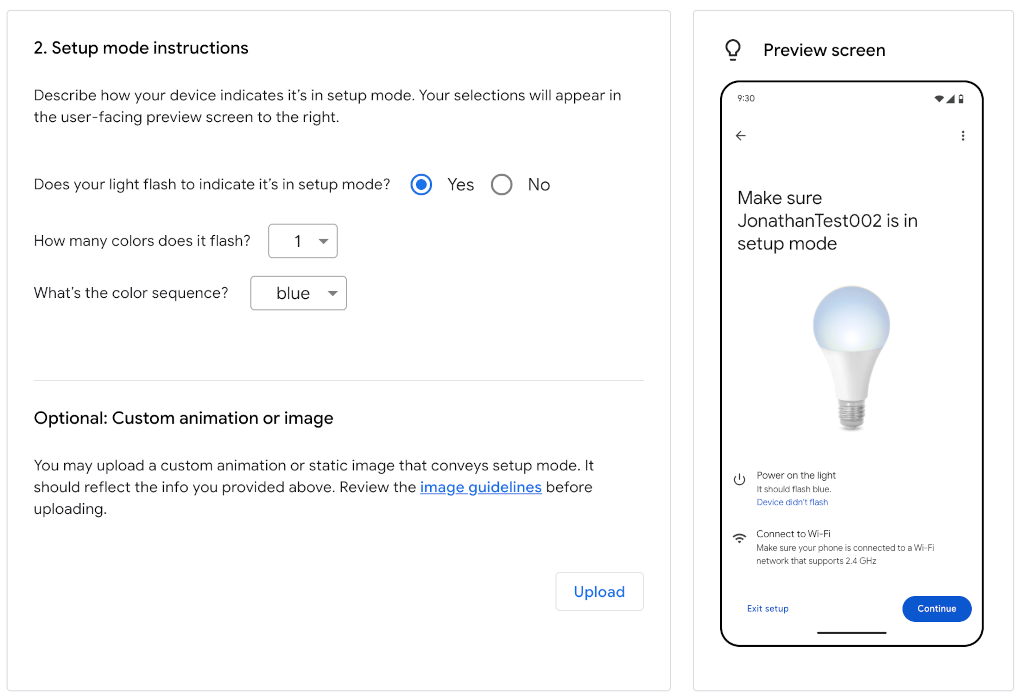
Device setup configuration Explain the Reset instructions for your device. Similar to setup mode, your selections will appear in the preview screen to the right. Optionally, click Upload to upload a Custom animation or image that conveys the reset instructions.
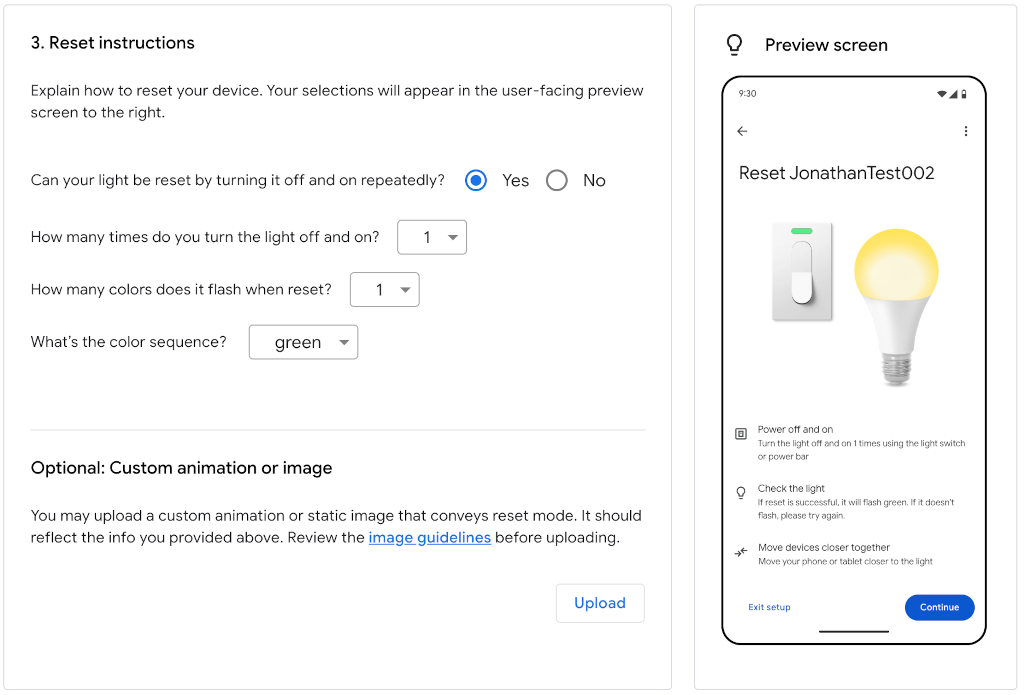
Device reset configuration Click Save, which saves the setup and reset instructions.