

כל שילוב של Cloud-to-cloud חייב לכלול מנגנון לאימות משתמשים.
אימות מאפשר לכם לקשר את חשבונות Google של המשתמשים עם חשבונות משתמשים במערכת האימות שלכם. כך תוכלו לזהות את המשתמשים שלכם כשמתקבלת כוונה לבית חכם ב-fulfillment. הפתרון של Google לבית חכם תומך רק ב-OAuth עם הרשאה באמצעות קוד.
אחרי שמטמיעים את OAuth 2.0, אפשר להגדיר App Flip מבוסס-OAuth, שמאפשר למשתמשים לקשר את החשבונות שלהם בצורה חלקה מהאפליקציה לנייד לחשבונות Google שלהם. אפשר גם להשתמש בקישורי עומק כדי להפנות משתמשים לתהליך הקישור מהאפליקציה או מהאתר של המוצר.
OAuth
במקרה של smart home, צריך להשתמש ב-OAuth עם תהליך קוד הרשאה, שדורש שתי נקודות קצה: נקודת הקצה של ההרשאה ונקודת הקצה של החלפת הטוקן.
אחרי שמשתמש מאומת, טוקן הגישה של OAuth 2.0 מצד שלישי של המשתמש נשלח בכותרת ההרשאה כש-Intents של smart home נשלחים ל-Fulfillment. כל המשתמשים צריכים לקשר את החשבון, כי פרטי המכשיר נשלחים אל Google Assistant עם כוונת action.devices.SYNC, שדורשת קישור חשבון.
השילוב של Cloud-to-cloud אמור לתמוך בכמה משתמשי Google שמתחברים לאותו חשבון משתמש (לדוגמה, כשמשתמשים מעניקים גישה למשתמשים אחרים במשק הבית שלהם). אם השירות שלכם לא תומך בחיבורים של כמה משתמשים, הוא צריך להציג שגיאות בזמן קישור החשבון.
הוראות להגדרת שרת OAuth 2.0 לשילוב זמינות במאמר בנושא הטמעה של שרת OAuth 2.0.
קישור אפליקציות מבוסס-OAuth
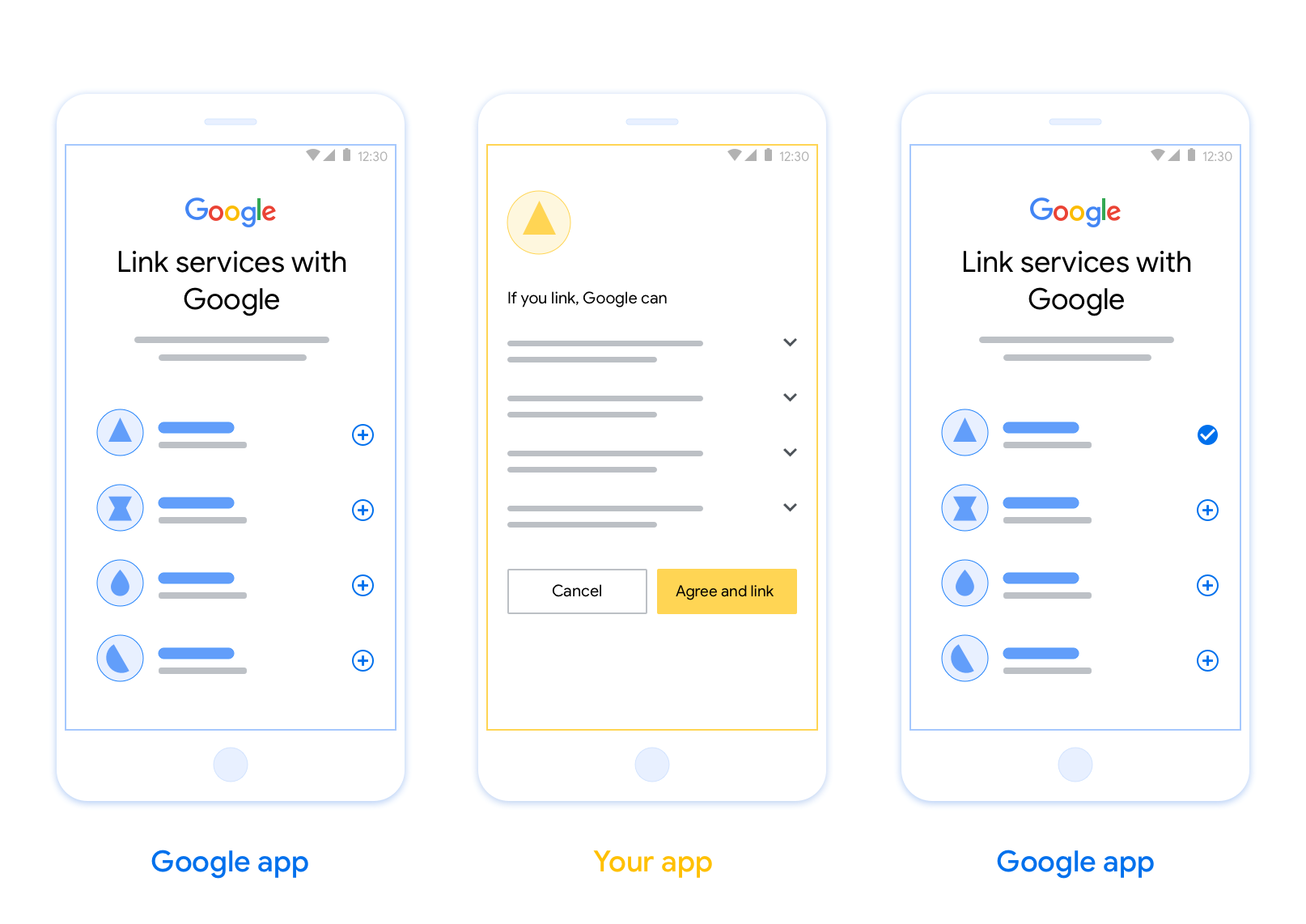
OAuth-based App Flip Linking (App Flip) allows your users to easily and quickly link their accounts in your authentication system to their Google accounts. If your app is installed on your user’s phone when they initiate the account linking process, they are seamlessly flipped to your app to obtain user authorization.
This approach provides a faster and easier linking process since the user does not have to re-enter their username and password to authenticate; instead, App Flip leverages the credentials from the user's account on your app. Once a user has linked their Google account with your app, they can take advantage of any integrations that you have developed.
You can set up App Flip for both iOS and Android apps.
Requirements
To implement App Flip, you must fulfill the following requirements:
- You must have an Android or iOS app.
- You must own, manage and maintain an OAuth 2.0 server which supports the OAuth 2.0 authorization code flow.
מידע נוסף על תהליך הרשאה באמצעות קוד לקישור OAuth זמין במאמר הטמעה של שרת OAuth 2.0.
הוראות להגדרת App Flip לשילוב מופיעות במאמר App Flip מבוסס OAuth.