

כל שילוב של Cloud-to-cloud חייב לכלול מנגנון לאימות משתמשים.
אימות מאפשר לכם לקשר את חשבונות Google של המשתמשים עם חשבונות משתמשים במערכת האימות שלכם. כך תוכלו לזהות את המשתמשים שלכם כשמתקבלת כוונה לבית חכם ב-fulfillment. הפתרון של Google לבית חכם תומך רק ב-OAuth עם הרשאה באמצעות קוד.
אחרי שמטמיעים את OAuth 2.0, אפשר להגדיר App Flip מבוסס-OAuth, שמאפשר למשתמשים לקשר את החשבונות שלהם בצורה חלקה מהאפליקציה לנייד לחשבונות Google שלהם. אפשר גם להשתמש בקישורי עומק כדי להפנות משתמשים לתהליך הקישור מהאפליקציה או מהאתר של המוצר.
OAuth
במקרה של smart home, צריך להשתמש ב-OAuth עם תהליך קוד הרשאה, שדורש שתי נקודות קצה: נקודת הקצה של ההרשאה ונקודת הקצה של החלפת הטוקן.
אחרי שמשתמש מאומת, טוקן הגישה של OAuth 2.0 מצד שלישי של המשתמש נשלח בכותרת ההרשאה כש-Intents של smart home נשלחים ל-Fulfillment. כל המשתמשים צריכים לקשר את החשבון, כי פרטי המכשיר נשלחים אל Google Assistant עם כוונת action.devices.SYNC, שדורשת קישור חשבון.
השילוב של Cloud-to-cloud אמור לתמוך בכמה משתמשי Google שמתחברים לאותו חשבון משתמש (לדוגמה, כשמשתמשים מעניקים גישה למשתמשים אחרים במשק הבית שלהם). אם השירות שלכם לא תומך בחיבורים של כמה משתמשים, הוא צריך להציג שגיאות בזמן קישור החשבון.
הוראות להגדרת שרת OAuth 2.0 לשילוב זמינות במאמר בנושא הטמעה של שרת OAuth 2.0.
קישור אפליקציות מבוסס-OAuth
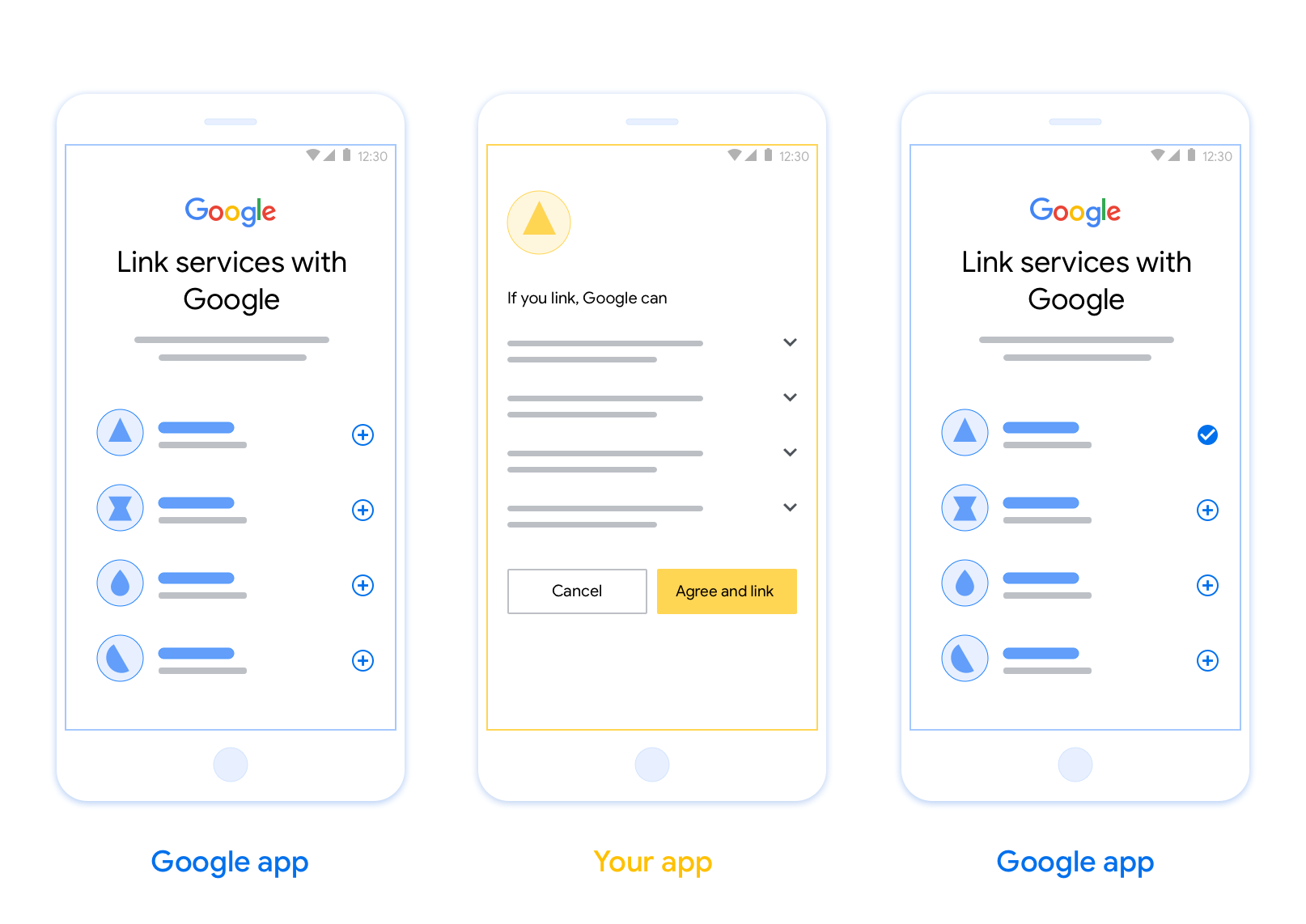
קישור App Flip מבוסס-OAuth (App Flip) מאפשר למשתמשים שלכם לקשר בקלות ובמהירות בין החשבונות שלהם במערכת האימות שלכם לחשבונות Google שלהם. אם האפליקציה שלכם מותקנת בטלפון של המשתמש כשהוא מתחיל את תהליך הקישור של החשבון, הוא יועבר בצורה חלקה לאפליקציה שלכם כדי לקבל הרשאה מהמשתמש.
הגישה הזו מאפשרת תהליך קישור מהיר וקל יותר, כי המשתמשים לא צריכים להזין מחדש את שם המשתמש והסיסמה שלהם כדי לבצע אימות. במקום זאת, App Flip משתמש בפרטי הכניסה מהחשבון של המשתמש באפליקציה. אחרי שהמשתמשים מקשרים את חשבון Google שלהם לאפליקציה, הם יכולים ליהנות מכל השילובים שפיתחתם.
אפשר להגדיר את הקישור של האפליקציות גם לאפליקציות ל-iOS וגם לאפליקציות ל-Android.
דרישות
כדי להטמיע את התכונה 'הצגת אפליקציה', אתם צריכים לעמוד בדרישות הבאות:
- חובה שיהיה לכם אפליקציה ל-Android או ל-iOS.
- אתם צריכים להיות הבעלים של שרת OAuth 2.0 שתומך בתהליך קוד האימות של OAuth 2.0, לנהל אותו ולתחזק אותו.
מידע נוסף על תהליך הרשאה באמצעות קוד לקישור OAuth זמין במאמר הטמעה של שרת OAuth 2.0.
הוראות להגדרת App Flip לשילוב מופיעות במאמר App Flip מבוסס OAuth.