

Her Cloud-to-cloud entegrasyonu, kullanıcıların kimliğini doğrulama mekanizması içermelidir.
Kimlik doğrulama, kullanıcılarınızın Google Hesaplarını kimlik doğrulama sisteminizdeki kullanıcı hesaplarıyla bağlamanıza olanak tanır. Bu sayede, karşılamanız bir akıllı ev amacı aldığında kullanıcılarınızı tanımlayabilirsiniz. Google akıllı ev yalnızca yetkilendirme kodu akışıyla OAuth'u destekler.
OAuth 2.0 uygulamanız olduğunda, isteğe bağlı olarak OAuth tabanlı App Flip'ı yapılandırabilirsiniz. Bu özellik, kullanıcılarınızın kimlik doğrulama sisteminizdeki hesaplarını Google Hesaplarına daha hızlı bağlamalarına olanak tanır.
OAuth
smart home için yetkilendirme kodu akışıyla OAuth kullanmanız gerekir. Bu akışta yetkilendirme ve jeton değişimi uç noktaları olmak üzere iki uç nokta gerekir.
Bir kullanıcının kimliğini doğruladığınızda, kullanıcının üçüncü taraf OAuth 2.0 erişim jetonu, smart home amaçları karşılamanıza gönderilirken yetkilendirme üstbilgisinde gönderilir. Cihaz bilgileri, hesap bağlama gerektiren action.devices.SYNC niyetiyle Google Assistant'ya gönderildiğinden tüm kullanıcıların hesap bağlama işlemini gerçekleştirmesi gerekir.
Cloud-to-cloud entegrasyonunuzun, aynı kullanıcı hesabına bağlanan birden fazla Google kullanıcısını desteklemesi beklenir (örneğin, kullanıcılar evlerindeki diğer kullanıcılara erişim izni verdiğinde). Hizmetiniz birden fazla kullanıcı bağlantısını desteklemiyorsa hesap bağlama sırasında hata mesajları göstermelidir.
Entegrasyonunuz için OAuth 2.0 sunucusunu nasıl ayarlayacağınızla ilgili talimatlar için OAuth 2.0 sunucunuzu uygulama başlıklı makaleyi inceleyin.
OAuth tabanlı uygulama bağlama
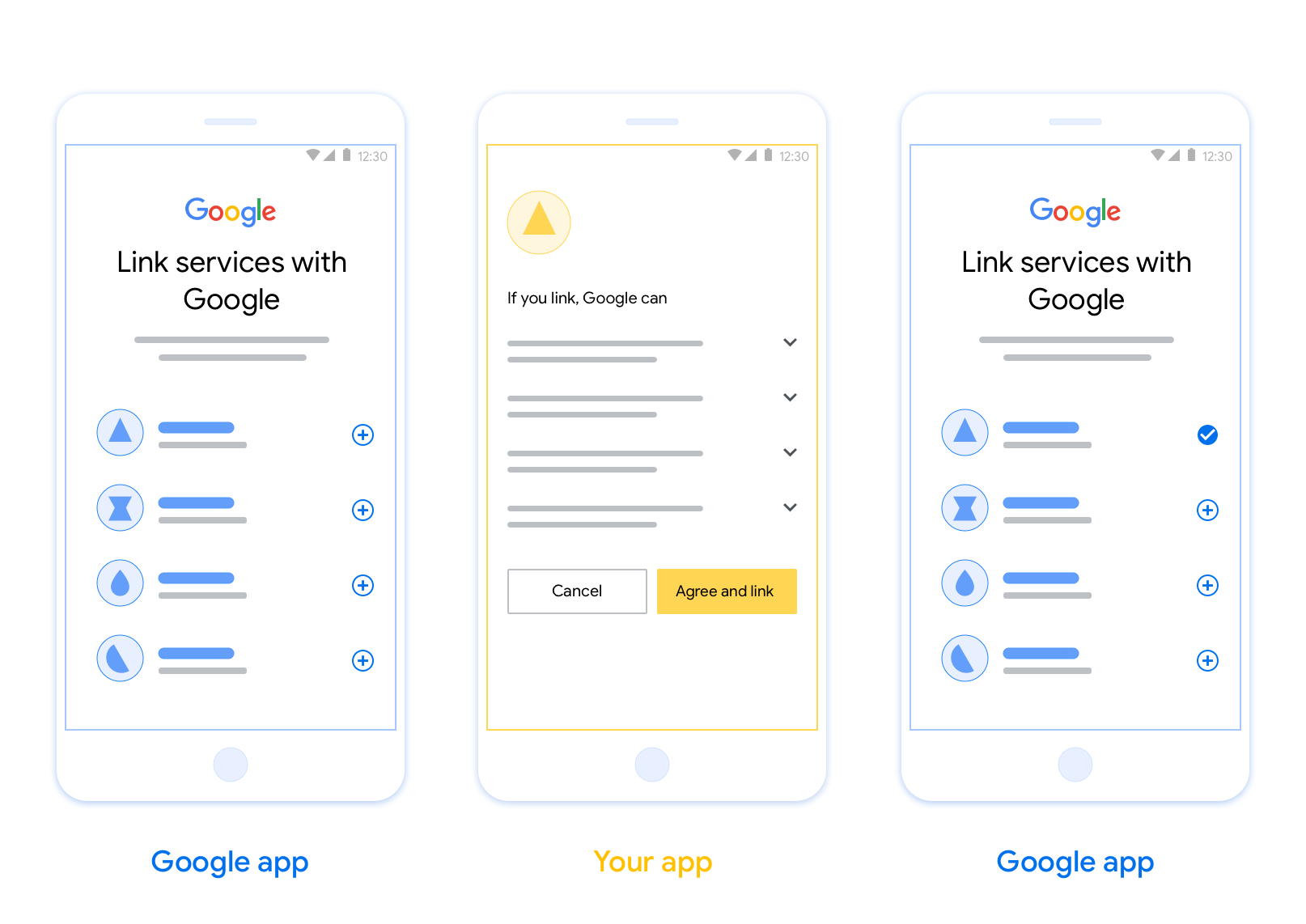
OAuth tabanlı uygulama çevirme bağlama (uygulama çevirme), kullanıcılarınızın kimlik doğrulama sisteminizdeki hesaplarını Google hesaplarına kolayca ve hızlı bir şekilde bağlamasına olanak tanır. Kullanıcılar hesap bağlama işlemini başlattığında uygulamanız kullanıcının telefonuna yüklüyse kullanıcı yetkilendirmesi almak için sorunsuz bir şekilde uygulamanıza yönlendirilir.
Bu yaklaşım, kullanıcının kimliğini doğrulamak için kullanıcı adını ve şifresini yeniden girmesine gerek olmadığından daha hızlı ve daha kolay bir bağlantı süreci sağlar. Bunun yerine App Flip, kullanıcının uygulamanızdaki hesabından alınan kimlik bilgilerinden yararlanır. Bir kullanıcı Google Hesabını uygulamanıza bağladıktan sonra, geliştirdiğiniz tüm entegrasyonlardan yararlanabilir.
Uygulama bağlama özelliğini hem iOS hem de Android uygulamaları için ayarlayabilirsiniz.
Şartlar
Uygulama Flip'i uygulamak için aşağıdaki koşulları karşılamanız gerekir:
- Android veya iOS uygulamanız olmalıdır.
- OAuth 2.0 yetkilendirme kodu akışını destekleyen bir OAuth 2.0 sunucusuna sahip olmanız, bu sunucuyu yönetmeniz ve bu sunucuyu yönetmeniz gerekir.
OAuth bağlama yetkilendirme kodu akışı hakkında daha fazla bilgi için OAuth 2.0 sunucunuzu uygulama başlıklı makaleyi inceleyin.
Entegrasyonunuz için App Flip yapılandırma talimatlarını OAuth tabanlı App Flip başlıklı makalede bulabilirsiniz.