

모든 Cloud-to-cloud 통합에는 사용자를 인증하는 메커니즘이 포함되어야 합니다.
인증을 사용하면 사용자의 Google 계정을 인증 시스템의 사용자 계정에 연결할 수 있습니다. 이를 통해 이행이 스마트 홈 인텐트를 수신할 때 사용자를 식별할 수 있습니다. Google 스마트 홈은 승인 코드 플로우가 있는 OAuth만 지원합니다.
OAuth 2.0을 구현한 후에는 사용자가 모바일 애플리케이션에서 Google 계정으로 원활하게 계정을 연결할 수 있는 OAuth 기반 App Flip을 선택적으로 구성할 수 있습니다. 딥 링크를 사용하여 앱 또는 제품 웹사이트에서 연결 절차로 사용자를 안내할 수도 있습니다.
OAuth
smart home의 경우 승인 코드 절차가 있는 OAuth를 사용해야 합니다. 이를 위해서는 두 개의 엔드포인트, 즉 승인 및 토큰 교환 엔드포인트가 있어야 합니다.
사용자를 인증하면 사용자 서드 파티 OAuth 2.0 액세스
토큰이 smart home인텐트가 이행으로 전송될 때 승인 헤더에 전송됩니다. 기기 정보가 계정 연결이 필요한 action.devices.SYNC
인텐트와 함께
Google Assistant으로 전송되므로 모든 사용자는 계정
연결을 실행해야 합니다.
Cloud-to-cloud 통합은 여러 Google 사용자가 동일한 사용자 계정에 연결하는 것을 지원해야 합니다 (예: 사용자가 가족 구성원에게 액세스 권한을 부여하는 경우). 서비스에서 여러 사용자 연결을 지원할 수 없는 경우 계정 연결 시 오류를 제공해야 합니다.
통합을 위한 OAuth 2.0 서버를 설정하는 방법은 OAuth 2.0 서버 구현을 참고하세요.
OAuth 기반 앱 전환
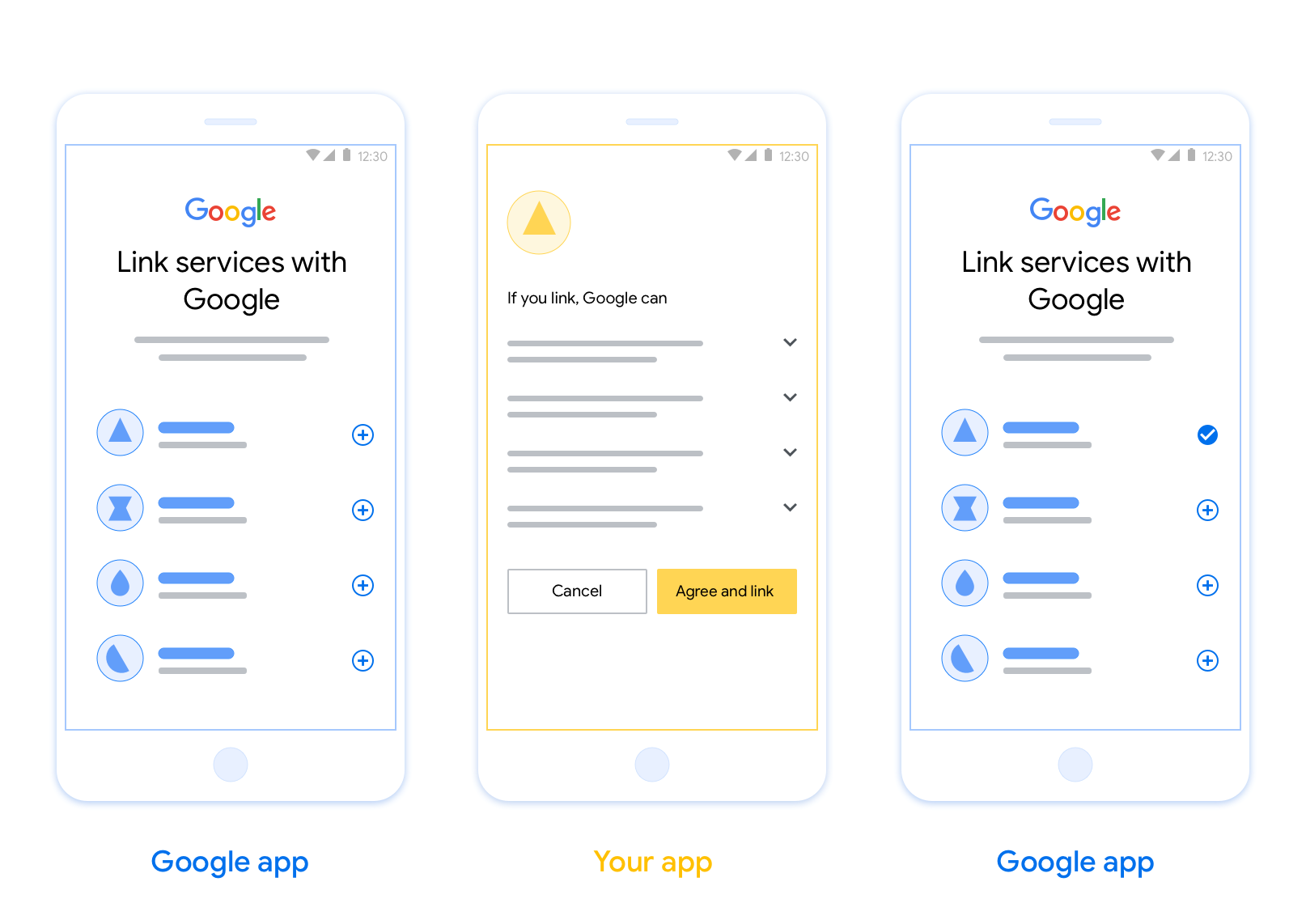
OAuth-based App Flip Linking (App Flip) allows your users to easily and quickly link their accounts in your authentication system to their Google accounts. If your app is installed on your user’s phone when they initiate the account linking process, they are seamlessly flipped to your app to obtain user authorization.
This approach provides a faster and easier linking process since the user does not have to re-enter their username and password to authenticate; instead, App Flip leverages the credentials from the user's account on your app. Once a user has linked their Google account with your app, they can take advantage of any integrations that you have developed.
You can set up App Flip for both iOS and Android apps.
Requirements
To implement App Flip, you must fulfill the following requirements:
- You must have an Android or iOS app.
- You must own, manage and maintain an OAuth 2.0 server which supports the OAuth 2.0 authorization code flow.
OAuth 연결 승인 코드 플로우에 관한 자세한 내용은 OAuth 2.0 서버 구현을 참고하세요.
통합을 위한 App Flip을 구성하는 방법은 OAuth 기반 App Flip을 참고하세요.