

在针对 Android 使用任何 Home API 之前,应用必须有权访问用户住宅中的设备,在 API 中称为“结构”。 借助 Permissions API,用户可以使用自己的 Google 账号向 Home API 应用授予对其住宅中设备的访问权限。
借助权限流程,用户可以创建结构并分配其街道 地址(如果尚未设置),而无需使用 Google Home app (GHA)。
集成 Permissions API
在继续之前,请确保您已按照
在 Android 上初始化住宅中的步骤操作。
该步骤中的 homeManager 实例将用于此处的所有权限示例。
首先,使用 SDK 注册
ActivityResultCaller
。例如,示例应用的处理方式如下:
override fun onCreate(savedInstanceState: Bundle?) {
    super.onCreate(savedInstanceState)
    homeManager.registerActivityResultCallerForPermissions(this)
  }
检查权限
在请求权限之前,我们建议您检查应用的用户是否已同意访问该结构。为此,请调用
Home 实例的
hasPermissions()
方法,以获取Flow的
PermissionsState
值:
val permissionsReadyState =
homeManager.hasPermissions().collect { state ->
    when (state) {
      PermissionsState.GRANTED -> println("Permissions granted, no need to request permissions")
      PermissionsState.PERMISSIONS_STATE_UNAVAILABLE ->
          println("Permissions state unavailable, request permissions")

      PermissionsState.NOT_GRANTED ->
          println("OAuth permission is enabled but not granted yet, request permissions")

      PermissionsState.PERMISSIONS_STATE_UNINITIALIZED -> println(
          "Permissions state is not initialized yet. Clients should wait for another status update"
      )
      else ->
          throw IllegalStateException("""
            HomeClient.hasPermissions state should be PermissionsState.GRANTED,
            PermissionState.PERMISSIONS_STATE_UNINITIALIZED, or
            PermissionsState.PERMISSIONS_STATE_UNAVAILABLE. Actual state: $state
          """.trimIndent())
    }
}
如果检查返回的 PermissionsState 为 NOT_GRANTED 或 PERMISSIONS_STATE_UNAVAILABLE,则表示用户或应用无权访问该结构。
如果检查返回的 PermissionsState
为 GRANTED,但随后对 structures() 的调用未返回任何结构,
则表示用户已通过 GHA 设置页面撤消了对应用的访问权限,或者用户
缺少所需的访问权限。
请求权限
必须向应用授予权限,才能访问给定结构中的结构和设备。
如果用户尚未授予权限,请使用
requestPermissions()
方法启动权限界面并处理结果:
fun requestPermissions(scope: CoroutineScope, onShowSnackbar: (String) -> Unit) {
  scope.launch {
    val result =
      try {
        homeManager.requestPermissions()
      } catch (e: HomeException) {
        PermissionsResult(
          PermissionsResultStatus.ERROR,
          "Got HomeException with error: ${e.message}",
        )
      }
    when (result.status) {
      PermissionsResultStatus.SUCCESS -> {
        Log.i(TAG, "Permissions successfully granted.")
      }
      PermissionsResultStatus.CANCELLED -> {
        Log.i(TAG, "User cancelled Permissions flow.")
        onShowSnackbar("User cancelled Permissions flow")
      }
      else -> {
        Log.e(
          TAG,
          "Failed to grant permissions with error: ${result.status}, ${result.errorMessage}",
        )
        onShowSnackbar("Failed to grant permissions with error: ${result.errorMessage}")
      }
    }
  }
}
如需正确启动权限界面,您必须已为应用 设置 OAuth。
授予权限
现在,您应该能够运行应用并让用户授予权限。可以授予权限的用户类型以及可授予权限的设备类型将有所不同,具体取决于您是否已 在 Google Home Developer Console 中注册应用。
Developer Console您必须在开发者控制台中注册应用,才能使用 Home API 发布应用。测试和使用 Home API 则无需注册。
如果应用未在Developer Console中注册,则该应用将处于 “未验证”状态。建议您在测试使用 Home API 时使用此状态:
只有在 OAuth 控制台中注册为测试用户的用户才能授予 应用的权限。未验证的 应用最多只能有 100 个测试用户。
未验证的应用将有权访问 Home API 的 OAuth 支持的任何设备类型的设备(开发者控制台中的设备类型列表Developer Console)。系统将授予对结构中所有设备的权限。
如果 应用已在Developer Console 并且 已获准访问一种或多种设备类型,并且已完成 OAuth 的 品牌 验证, 则该应用将处于“已验证”状态。如需将应用发布到正式版,必须使用此状态:
- 测试用户限制不再适用。任何用户都可以向应用授予权限。
- 用户只能向在 Developer Console中获准的设备类型授予权限。
现在,OAuth 已设置完毕,应用对 requestPermissions() 的调用会触发以下对话框:
- 系统会提示用户选择要使用的 Google 账号。
- 系统会提示用户选择要向应用授予访问权限的结构。
- 对于未验证的应用,Home API 支持的所有设备类型都可供应用使用。
- 对于已验证的应用,用户只能向在Developer Console中获准的设备类型 授予权限。
- 对于应用有权管理的敏感设备类型,用户可以按设备限制访问权限。例如,如果用户有三把锁,则只能向其中一把锁授予访问权限。
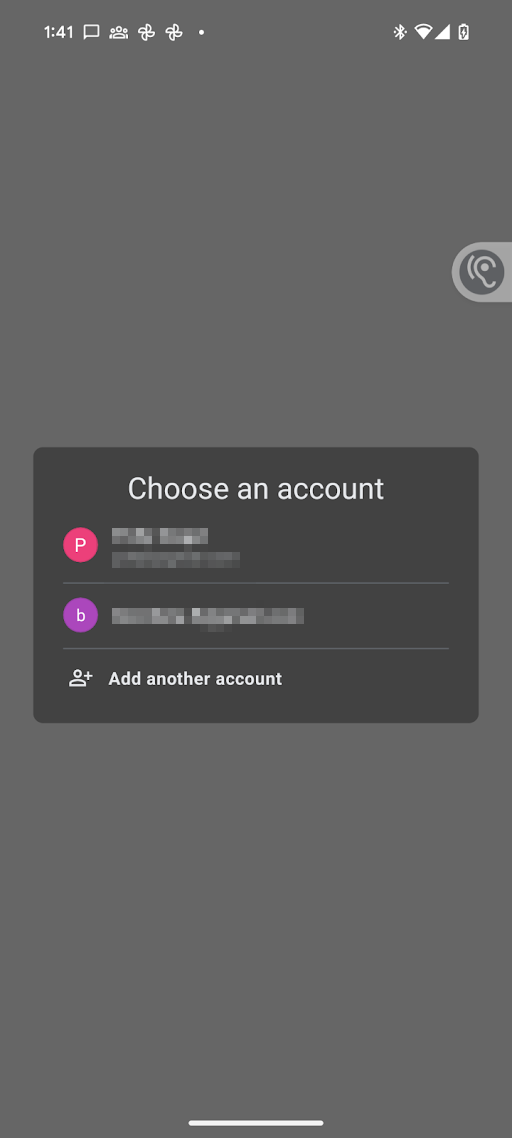
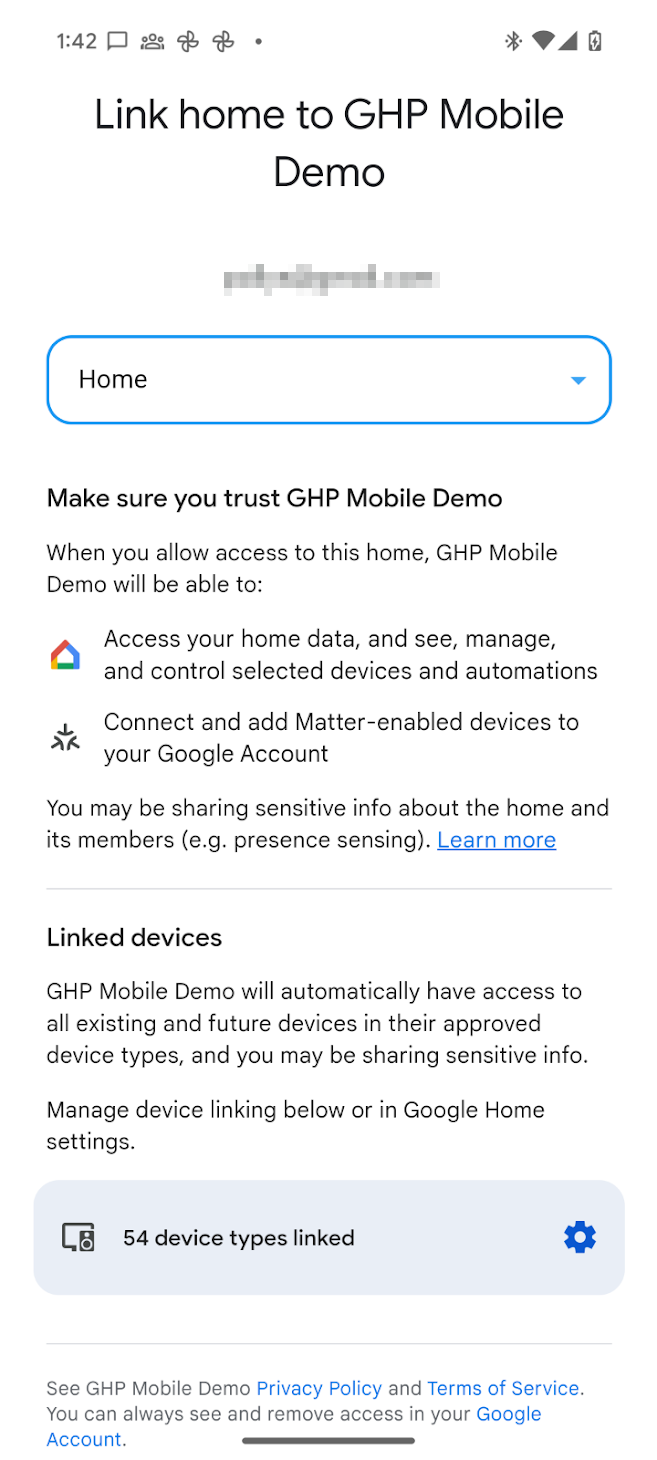
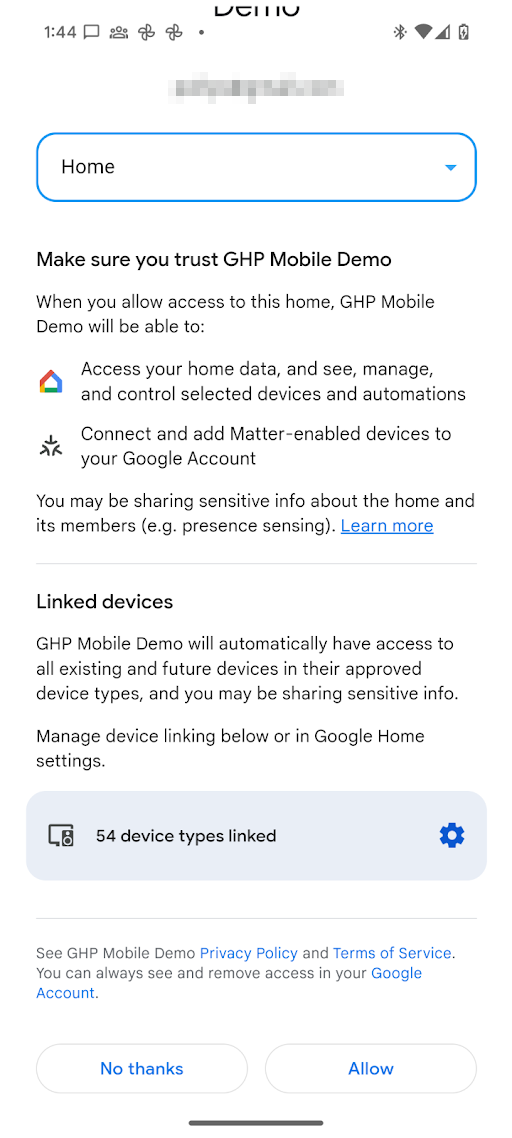
授予权限后,应用可以使用 Home API 读取结构中设备的状态并控制这些设备。如果用户未向应用授予对特定设备类型或敏感设备的权限,应用将无法使用 Home API 访问、控制或自动控制该设备。
更改权限
如需授予访问不同结构中设备的权限,可以启动账号选择器,让用户选择要切换到的 Google 账号和结构。在此过程中,系统会再次向用户显示权限请求页面,即使之前已授予权限也是如此。
为此,您可以再次调用
requestPermissions()
,并将 forcePermissionFlow 设置为 ForcePermissionFlow.FORCE_LAUNCH:
homeManager.requestPermissions(forcePermissionFlow = ForcePermissionFlow.FORCE_LAUNCH)
使用结构提示更改权限
借助结构提示,应用可以在请求对用户的 Home API 权限进行增量更改时,预先选择特定结构或限制可用结构的列表。通过将结构参数传递到授权请求中,权限对话框将自动聚焦于所选结构,从而减少用户摩擦并防止配置错误。
结构提示使用
ConsentScreenOptions
数据类进行管理。ConsentScreenOptions 类接受以下配置参数:
structureId- 在权限对话框中预先选择的特定结构 ID。如需获取此 ID,请检查要更新的结构的 结构 属性。allowedStructureIds- 结构 ID 列表。如果提供此列表,权限对话框将过滤可用结构,仅显示此列表中的结构。 在大多数情况下,您可以不指定此列表,除非您想确保用户停留在已授予权限的结构列表中。allowStructureChange- 确定是否允许用户更改预先选择的结构。在大多数情况下,如果指定了allowedStructureIds和structureId中的至少一个,请将此值设置为true,以支持用户的自然行为。
将此对象作为可选参数传递到 requestPermissions() 调用中,并将 forcePermissionFlow 设置为 ForcePermissionFlow.FORCE_LAUNCH:
import com.google.home.ConsentScreenOptions

// Create the ConsentScreenOptions class, allowing structure changes while
// ensuring the permissions dialog pre-selects the target structure on launch
val consentOptions = ConsentScreenOptions(
    structureId = target-structure-id,
    allowStructureChange = true
)

homeManager.requestPermissions(forcePermissionFlow = ForcePermissionFlow.FORCE_LAUNCH, consentScreenOptions = consentOptions)
系统将向用户显示权限请求页面,该页面已过滤为 ConsentScreenOptions 对象中注明的结构。
允许用户使用结构提示切换结构
如果用户在应用中有多个结构,并且您想预先选择一个结构,同时仍允许用户在可用结构之间切换,请使用 allowStructureChange 标志启用结构更改,并在 allowedStructureIds 中提供结构列表:
val consentOptions = ConsentScreenOptions(
    structureId = target-structure-id,
    allowedStructureIds = listOf(target-structure-id, another-structure-id),
    allowStructureChange = true
)
撤消权限
用户可以撤消之前授予的访问权限:
通过 Google 我的账号页面 > 数据和隐私设置 > 第三方应用和服务。这将撤消在首次授予同意时颁发的 OAuth 令牌,并撤消用户在所有界面(手机)和结构中使用的任何应用实例的访问权限。
用户可能会通过深层链接转到第三方应用和服务 子页面,网址协议如下:
https://myaccount.google.com/connections/link?project_number=Cloud project_number通过 GHA > 设置 > 关联的应用 页面。 点击 中的 GHA 会转到 设置 页面。在该页面中,点击关联的应用 图块,系统会转到与权限请求页面类似的页面。用户可以在此页面中移除对应用的访问权限。用户可以使用同一页面更改应用可以访问的设备类型或特定敏感设备。
查看用户已授予权限的设备类型
在 Google Home 生态系统中,对于大多数设备类型,用户可以一次性授予对该类型的所有设备的权限。对于敏感或受限的设备类型(例如锁、摄像头或门铃),用户必须单独授予权限。
如需确定用户是否已授予访问敏感或受限设备类型的权限,请使用结构级 consentedDeviceTypes() 函数:
import com.google.home.Structure
import com.google.home.DeviceType
import com.google.home.DeviceTypeFactory
import com.google.home.consentedDeviceTypes // Extension function from the SDK
import kotlinx.coroutines.flow.Flow
import kotlinx.coroutines.flow.collect
import kotlinx.coroutines.launch

/**
 * Example of how an app may monitor which device types have been granted access by a user.
 */
fun monitorDeviceConsent(structure: Structure, myScope: CoroutineScope) {
    // Obtain the flow of consented device type factories
    val consentedTypesFlow: Flow<Set<DeviceTypeFactory<out DeviceType>>> =
        structure.consentedDeviceTypes()

    myScope.launch {
        consentedTypesFlow.collect { consentedSet ->
            // Check if the user has consented to share a specific restricted
            // type, such as a Doorbell or Camera.
            val hasCameraAccess = consentedSet.any {
                it.toString() == "matter.google.type.GoogleDoorbellDevice"
            }

            if (hasCameraAccess) {
                // Enable features that require camera access
            } else {
                // Inform the user or disable camera-specific features
            }
        }
    }
}
OkGoogle 权限
okGoogle
命令是设备级命令,可用于自动控制
结构中的任何设备。不过,Home API 应用可能无法访问每个设备。下表介绍了在这种情况下如何强制执行权限。
| 自动化操作 | 特征 | 权限强制执行 |
|---|---|---|
| 晚上 10 点,在卧室扬声器上广播“Bedtime”。 |
AssistantBroadcastTrait
设备上。 |
自动化创建:
|
| 晚上 10 点,在所有设备上广播“Bedtime”。 |
AssistantBroadcastTrait
结构上。 |
自动化创建:
|
| 晚上 10 点,“播放一些音乐” |
AssistantFulfillmentTrait.OkGoogleCommand
|
自动化创建:
|
| 每当有人说“播放一些音乐”时 |
VoiceStarterTrait.OkGoogleEvent
|
自动化创建:
|
如果用户撤消所有权限,该如何处理
如果用户撤消所有权限,所有现有自动化都将停止运行。此外,如果用户撤消对特定设备的访问权限,则与这些设备关联的启动器、条件和操作都将停止运行。
每次应用启动时,请务必检查权限是否仍然有效。如果权限已被撤消,请务必移除所有先前的数据,包括应用中缓存的所有数据。
撤消结构访问权限后,系统会将
StructureAccessRevokedEvent
传送给您的云后端。如需了解
结构授予的
端到端合作伙伴云和移动应用撤消工作流,请参阅。