> Documentation index: https://developers.home.google.com/apis/llms.txt
To help you get the most accurate and context-aware answers for your
Google Home platform (GHP) projects, we have released an AI Knowledge Base file.
[Video](https://www.youtube.com/watch?v=2bBPabaalbk)
This file (`google-home-api-knowledge-base.txt`) is a curated "source of truth"
document containing detailed API specifications and code examples. When you
provide this file to a Large Language Model (LLM), it acts as a powerful "cheat
sheet," allowing the AI to answer your specific Home APIs questions with
greater precision.
We highly recommend using this with Gemini in Android Studio, but
you can also use it with other LLMs (like
[Gemini on the web](https://gemini.google.com))
by providing the file as context.
## Prerequisites
1. **Android Studio:** You must have [Android Studio Narwhal (2024.2.1)](https://developer.android.com/studio) or newer.
2. **Gemini Plugin:** You must have the [Gemini in Android Studio plugin](https://developer.android.com/gemini-in-android) installed and enabled.
## Step-by-step instructions
1. **Get the Knowledge Base file**
The knowledge base file is available on our official
[Google Home sample app repository](https://github.com/google-home/google-home-api-sample-app-android)
on GitHub. You can either:
- **Clone** the entire sample app repository, or
- **Download** just the [`google-home-api-knowledge-base.txt` file](https://raw.githubusercontent.com/google-home/google-home-api-sample-app-android/refs/heads/main/tools/google-home-api-knowledge-base.txt) directly from the repository.
2. **Add the file to Your project**
If you did not clone the repository, place the
`google-home-api-knowledge-base.txt` file anywhere inside your project. We
recommend putting it in the `/tools` folder.
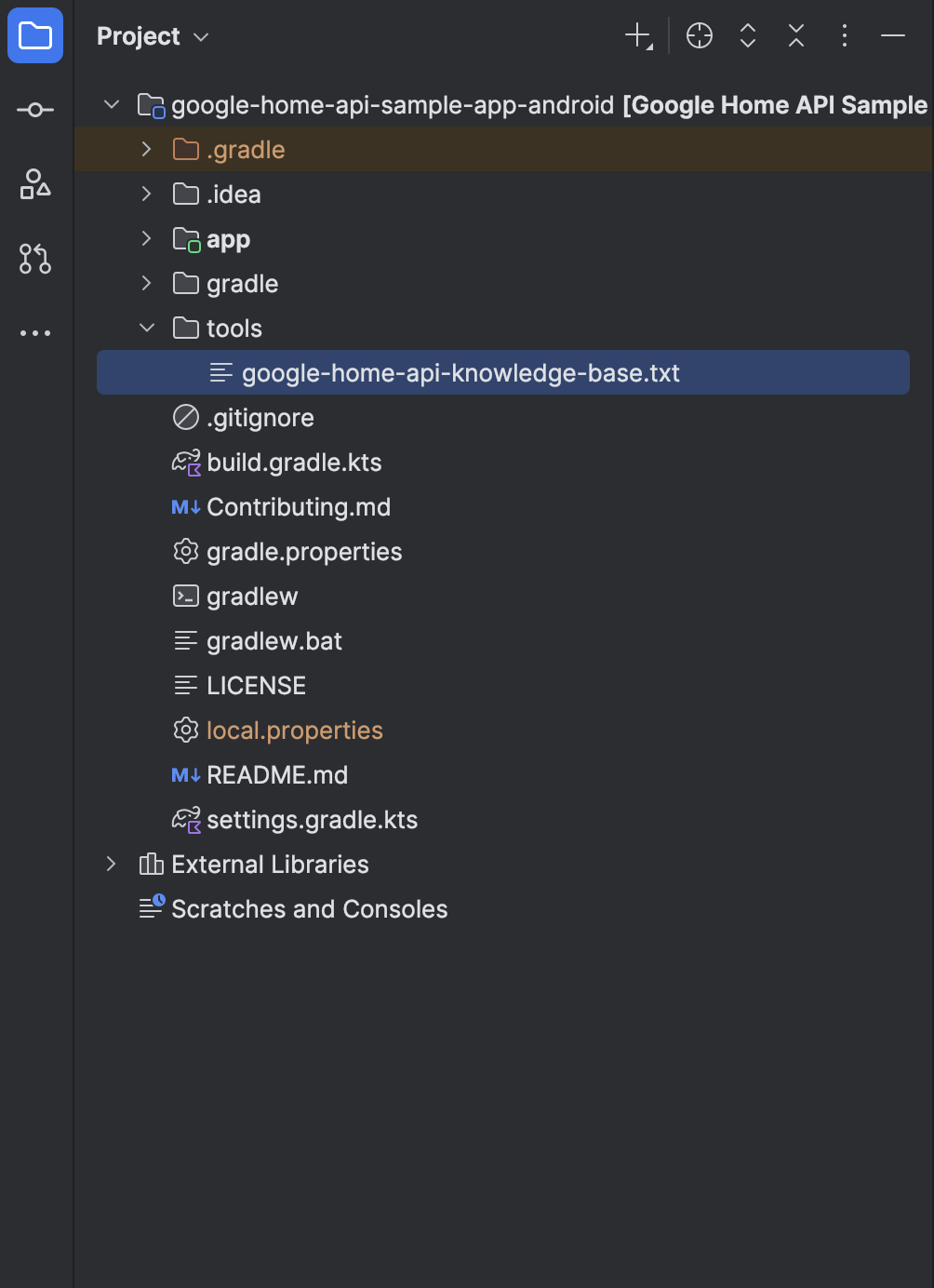 *Where to place the file in the project.*
3. **Attach the file in Gemini Chat**
Open the Gemini chat pane in Android Studio. To give Gemini
the file's context, type the @ symbol. An autocomplete menu will pop up,
showing available files. Select `google-home-api-knowledge-base.txt` from
the list.
For more information, see
[Attach a file to your query](https://developer.android.com/studio/gemini/attach-file)
in Gemini in Android Studio.
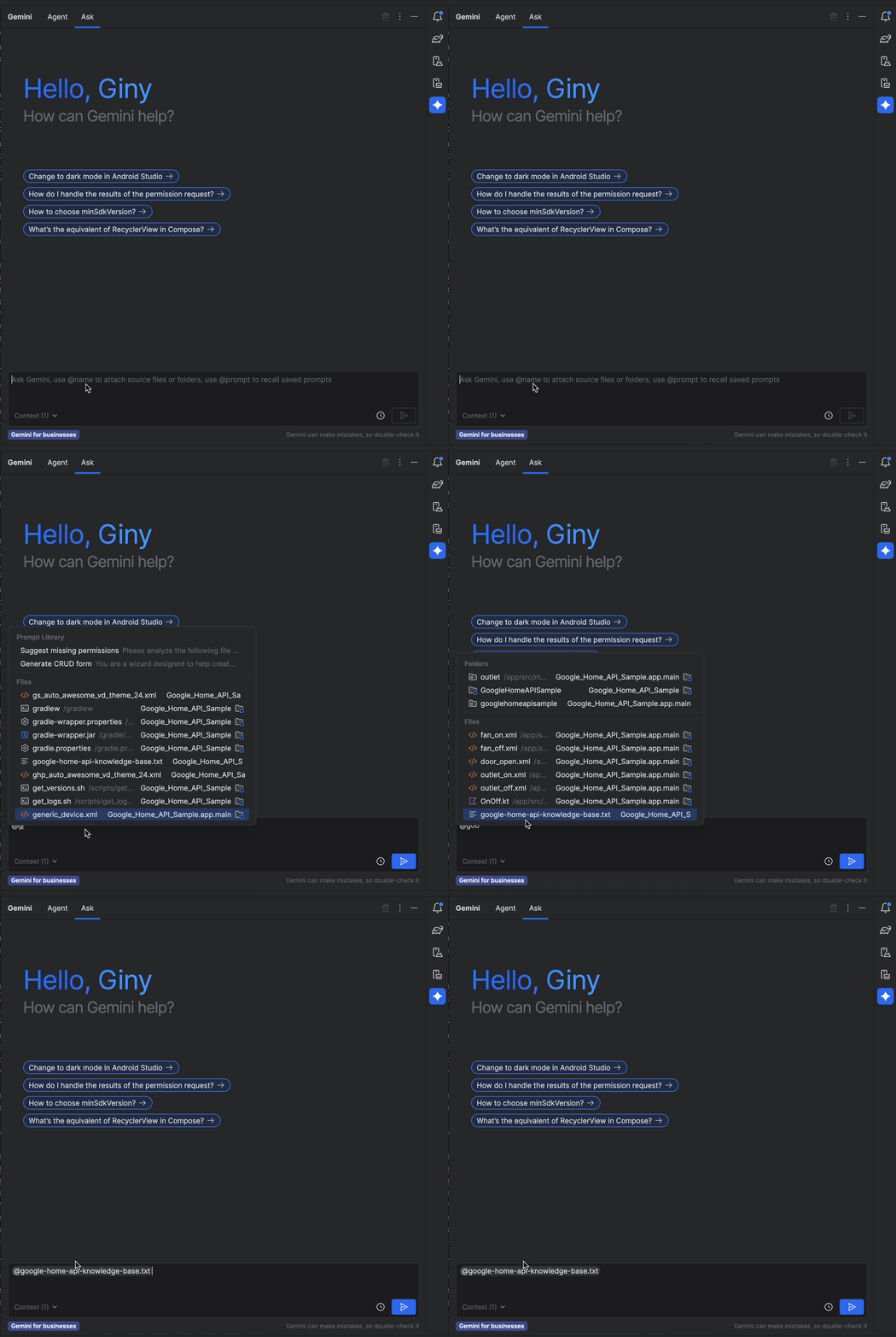 *How to add context to Gemini.*
4. **Ask your question**
With the file attached, you can now ask your detailed question. Gemini will
now use the knowledge base to provide a detailed, accurate answer based on
your file.